Troubleshooting
Start with logbook doctor
Section titled “Start with logbook doctor”It checks your setup and prints a fix under every problem. Run it first.
& "$env:LOCALAPPDATA\Programs\Logbook\logbook.exe" doctor"$HOME/Library/Application Support/Logbook/bin/logbook" doctor~/.local/bin/logbook doctor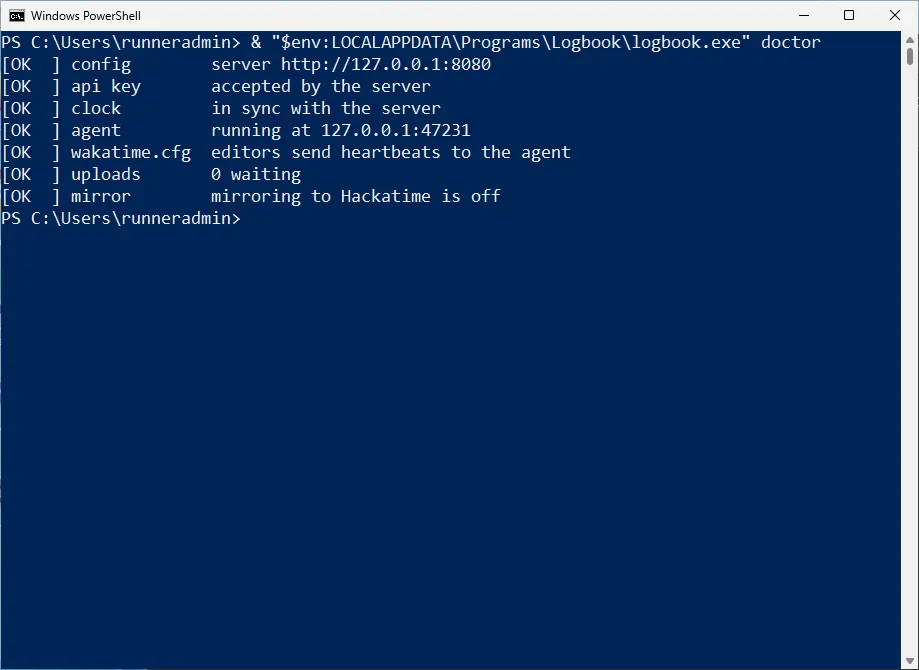
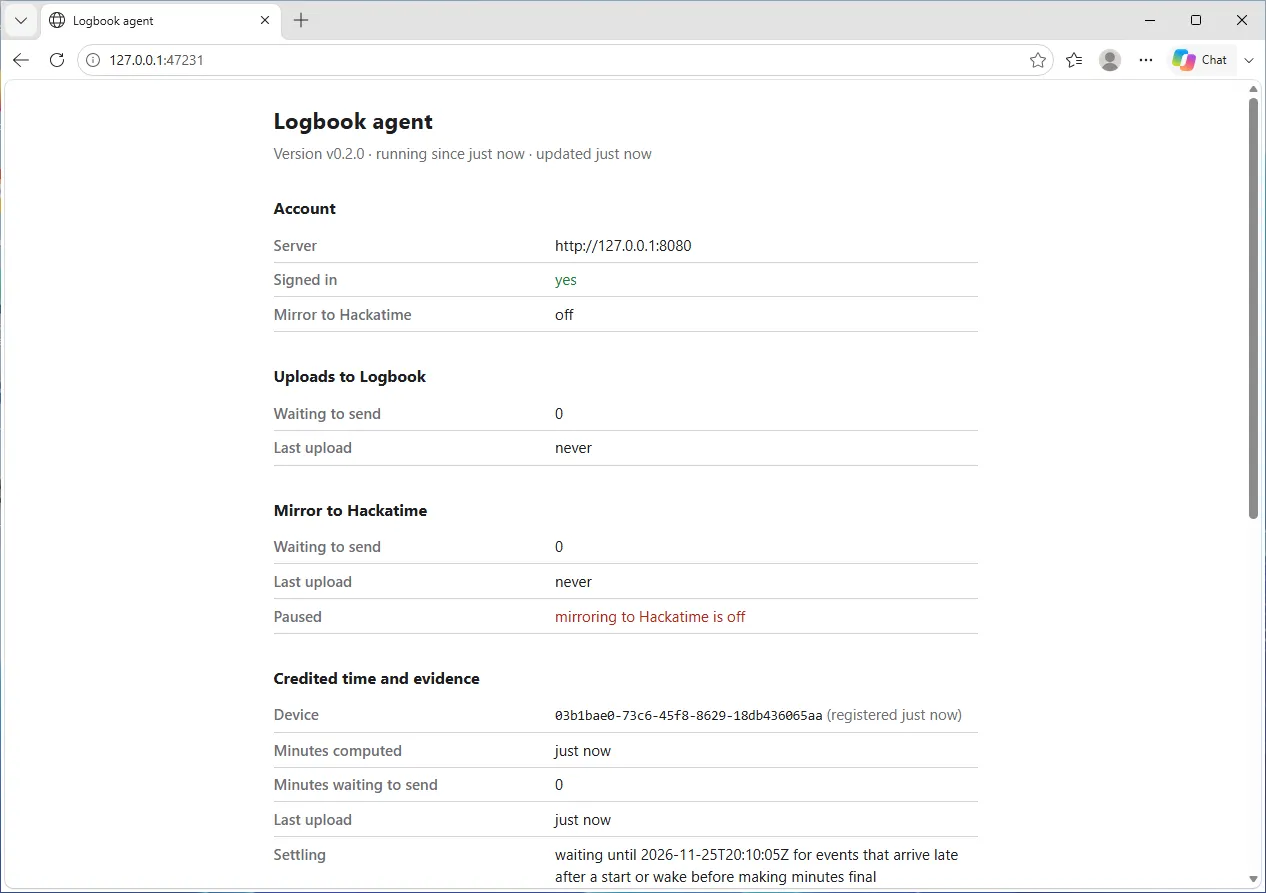
Each line is [OK ], a warning or a failure. It exits with an error if any check fails. The status page at http://127.0.0.1:47231/ shows the same facts in a browser.
Install problems
Section titled “Install problems”macOS: install fails at “starting the daemon”
Section titled “macOS: install fails at “starting the daemon””On our macOS 15 GitHub runner, the v0.2.0 installer stopped with launchctl kickstart -k gui/.../dev.boogles.logbook: signal: killed and undoes every step. The runner reproduced this failure. We have not verified whether other Macs are affected. Check the the releases page.
“–key is required”
Section titled ““–key is required””The command ran without your key. Copy the full command from the website again: Copy copies the key even though the screen shows it masked.
“don’t run this as root or with sudo”
Section titled ““don’t run this as root or with sudo””Run the command again without sudo. Logbook installs for your own user.
The key is rejected
Section titled “The key is rejected”Keys are shown once. If you lost the command or revoked the key, make a new one in Settings, under Install keys, and run the new command.
Windows: the command does nothing useful in Command Prompt
Section titled “Windows: the command does nothing useful in Command Prompt”The Windows command is for PowerShell. Open PowerShell from the Start menu and paste it there.
No time showing up
Section titled “No time showing up”- Restart your editor after installing. Plugins read their settings only at start.
- No WakaTime plugin? Logbook needs one to see your editing. See Editors and AI tools.
- Counted time lags. It shows up a few minutes after you start. Right after the agent starts, it waits about 15 minutes before making minutes final.
- Counted is 0 but time at the keyboard isn’t. Check that the agent runs (
logbook doctor, theagentline). Time from before the install, such as imported Hackatime history, is never counted.
Doctor messages
Section titled “Doctor messages”| Message | What to do |
|---|---|
agent not running |
Start it with logbook run, or reinstall so it starts at login. Editors keep heartbeats offline meanwhile. |
api key the server rejected the saved key |
Make a new key on the website and run logbook login --key -, then paste the key and press Enter. Reading it this way keeps it out of your shell history. |
api key could not check the key |
Check your internet or proxy. Heartbeats wait in the queue and upload later. |
wakatime.cfg api_url is ..., not the agent's API |
Something changed your .wakatime.cfg. Run the install command again. |
wakatime.cfg api_key differs |
Run the install command again after logbook login. |
clock this computer's clock is off |
Turn on automatic date and time in your system settings. |
uploads paused: the server rejected the key |
As for a rejected key, above. |
mirror paused: the server rejected the key |
Your Hackatime key changed. Run the install command again to read it from your plugin setup. |
uploads N heartbeats waiting since ... |
Usually your connection. The agent retries by itself. |
AI tool not showing
Section titled “AI tool not showing”Run logbook status and read the AI hooks: lines.
- “not installed”: the tool wasn’t found when you installed. Install it, then run the install command again.
- Codex: approve Logbook’s hooks once in
/hooks(CLI) or Settings > Hooks (app). - Claude Code: restart sessions that were open during the install. Older than 2.1.139 isn’t supported.
Submit problems
Section titled “Submit problems”| Message | What to do |
|---|---|
today's evidence is sealed after midnight UTC |
End the range on yesterday (UTC) or earlier. |
the range is N days; submit at most 92 days at a time |
Split it into shorter ranges. |
... has sealed its evidence through ... or ... has sealed no day yet |
A computer you used hasn’t sealed those days yet. A day is sealed about an hour after it ends (UTC) while the agent runs. End the range earlier, wait, or, if you don’t use that computer any more, disconnect it in Settings, under Computers. |
nothing to submit |
No counted minutes for that project and those days. |
your Hackatime account is banned |
You can’t submit hours. |
too many submissions |
Wait the time it says and try again. |
nothing was submitted; try again later |
A network or server problem. Nothing was uploaded, so running it again is safe. |
stdin isn't a terminal, so there's no way to confirm the upload |
Run it in a terminal window. In a script, check with --preview FILE, then use --yes. |
Still stuck
Section titled “Still stuck”Open an issue on GitHub with the output of logbook doctor. It never prints your key. Don’t paste your install command, which does contain it.