Days and AI sessions
When the hours or a flag make you want a closer look, go to DAYS and AI SESSIONS. They show what happened, minute by minute, without showing any code or prompts.
One row per day of the submission, in UTC. Each row has the day’s counted time and time at the keyboard on the right, and a strip under it with one slice per minute.
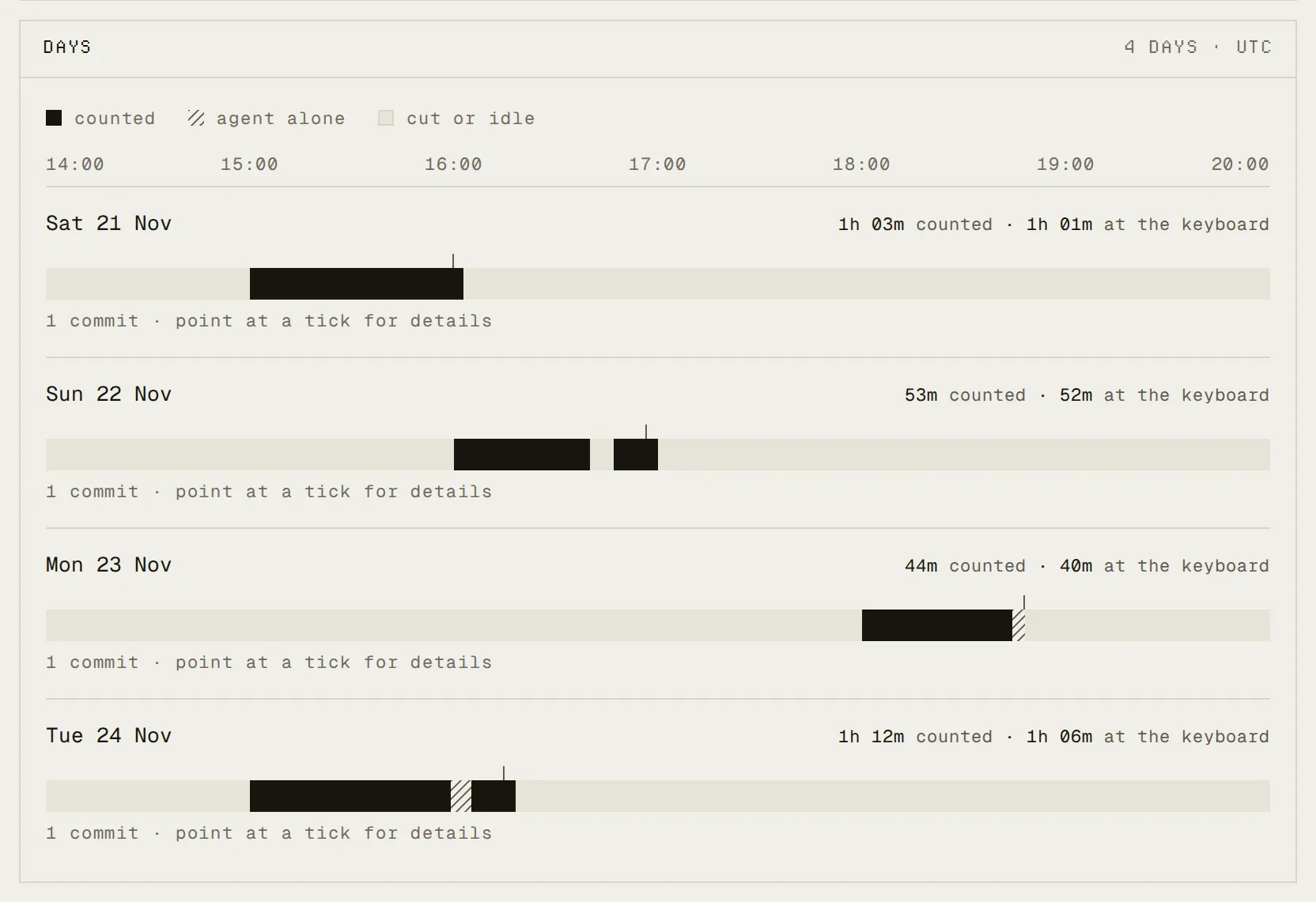
All strips show the same hours of the day, so you can compare days by looking straight down the page. The scale above them gives the UTC time.
What the colours mean
Section titled “What the colours mean”The legend at the top lists only the kinds that appear in this submission:
| Legend | Meaning |
|---|---|
| counted | The submitter was present and working. This minute counts. |
| agent alone | An AI agent was working and the submitter wasn’t there. Not counted. |
| cut | Active, but cut by a rule (see cuts). Not counted. |
| idle or nothing | Nobody at the keyboard and no agent working, or no activity at all. |
| counted, not backed by evidence | Counted, but no signed log for it has arrived yet. |
| differs from the device | The server’s recount didn’t match the submitter’s computer. |
When a submission has both cut and idle minutes, they share one swatch, labelled “cut or idle”.
Commits
Section titled “Commits”Small ticks above a strip mark git commits in the project. Point at a tick, tab to it, or tap it on a phone to see the commit: its short hash, lines added and removed, how many files changed, and the time. When the project is linked to a GitHub repository, the commit links to it there.
Commits are shown to help you judge. They never change what’s counted, so nobody has to commit just to get credit.
Days with no signed record
Section titled “Days with no signed record”A line such as “No signed record from laptop this day.” means that computer didn’t seal its logs that day, usually because Logbook wasn’t running on it. Minutes from that day can’t be backed by evidence.
What to look for
Section titled “What to look for”- Long runs of counted time with commits through them look like steady work on the project.
- Long runs of agent alone were already taken off. They show how much the submitter left an agent to work by itself.
- Flagged ranges from CUTS AND FLAGS: find their times on the strip and see what was around them.
- Unbacked or differing minutes: see which days they fall on, and how much of each day they are.
AI SESSIONS
Section titled “AI SESSIONS”A table of the AI tool sessions in this project during the submission.
| Column | What it shows |
|---|---|
| Tool | The AI tool, such as Claude Code, and the model when it’s known. |
| When (UTC) | When the session started and ended. |
| Prompts | How many prompts the submitter sent. |
| Counted | The submitter’s counted time during the session. |
| Agent alone | Time the agent worked during the session while the submitter was away. Not counted. |
On a phone, When, Prompts and Agent alone fold into one line under the tool’s name.
“No AI sessions in this range.” means the logs sent show no AI tool use for this project.
Reading the sessions
Section titled “Reading the sessions”- Counted time much larger than agent alone means the submitter was there for most of the session: prompting, reading the output, answering the agent’s questions.
- Agent alone much larger than counted means the agent mostly worked unattended. That time is already out of the counted figure.
- Logbook never sends prompts, code or transcripts. You see counts and times only. If you need to know what was built, look at the project itself.
Ready to decide.