Evidence and trust
Counted hours aren’t just what the submitter’s computer says. When someone submits, their computer sends the signed logs behind each minute. Logbook’s server replays those logs with the same public rules and checks that it gets the same answer. The line under the hours tells you how that went.
The evidence line
Section titled “The evidence line”You’ll see one of two things at the bottom of the HOURS panel.
VERIFIED with a sentence like “All 2,431 minutes re-computed on our server from signed device logs.” Every minute was recounted on the server and matched.
A tag like 2 DIFFER · 1,234 UNBACKED with a sentence like “1,000 of 2,236 minutes re-computed on our server from signed device logs; 2 differ from the device’s result and 1,234 are not yet backed by evidence.” Press the tag to jump to the NOT VERIFIED panel.
The minute counts include every minute in the range that Logbook looked at, idle and cut minutes too, so they’re usually larger than the counted time.
What each word means
Section titled “What each word means”| Word | In plain words |
|---|---|
| Verified | The server replayed the signed log for this minute and got the same result as the submitter’s computer. |
| Differ | The server replayed the signed log and got a different result. |
| Unbacked | No signed log covering this minute has been sent yet, so the server couldn’t check it. |
The NOT VERIFIED panel
Section titled “The NOT VERIFIED panel”Near the bottom of the page, this panel lists:
- how many minutes differ, then a table of them (newest first, up to 200) with the minute in UTC, what the device said and what the server got. Each side reads like
you · 60 soridle · 0 s · cut: idle: the minute’s label, the seconds credited, and any cuts; - how many minutes are unbacked.
On the day strips, differing and unbacked minutes have their own colours, so you can see which days they fall on.
Judging differences and gaps
Section titled “Judging differences and gaps”- Unbacked minutes often have a simple cause. The submitter worked on two computers, and only one has sent its logs so far. They can run
logbook submit <project> --from <first day> --to <last day> --add <submission-id>on the other computer. This works only until a decision is recorded. When the logs arrive, the server checks the submission again. A page you have open then refuses your decision and asks you to reload. - A few differing minutes out of thousands is a small share of the counted time. Many differing minutes is worth a question to the submitter before you decide.
- If you want to approve only what was re-checked, adjust to a lower number and say why.
Want to check a submission without trusting Logbook’s server at all? Fraud Squad can download the evidence and re-run it offline: see Verify a bundle.
The TRUST panel
Section titled “The TRUST panel”The right-hand column starts with TRUST, read from the submitter’s linked Hackatime account.
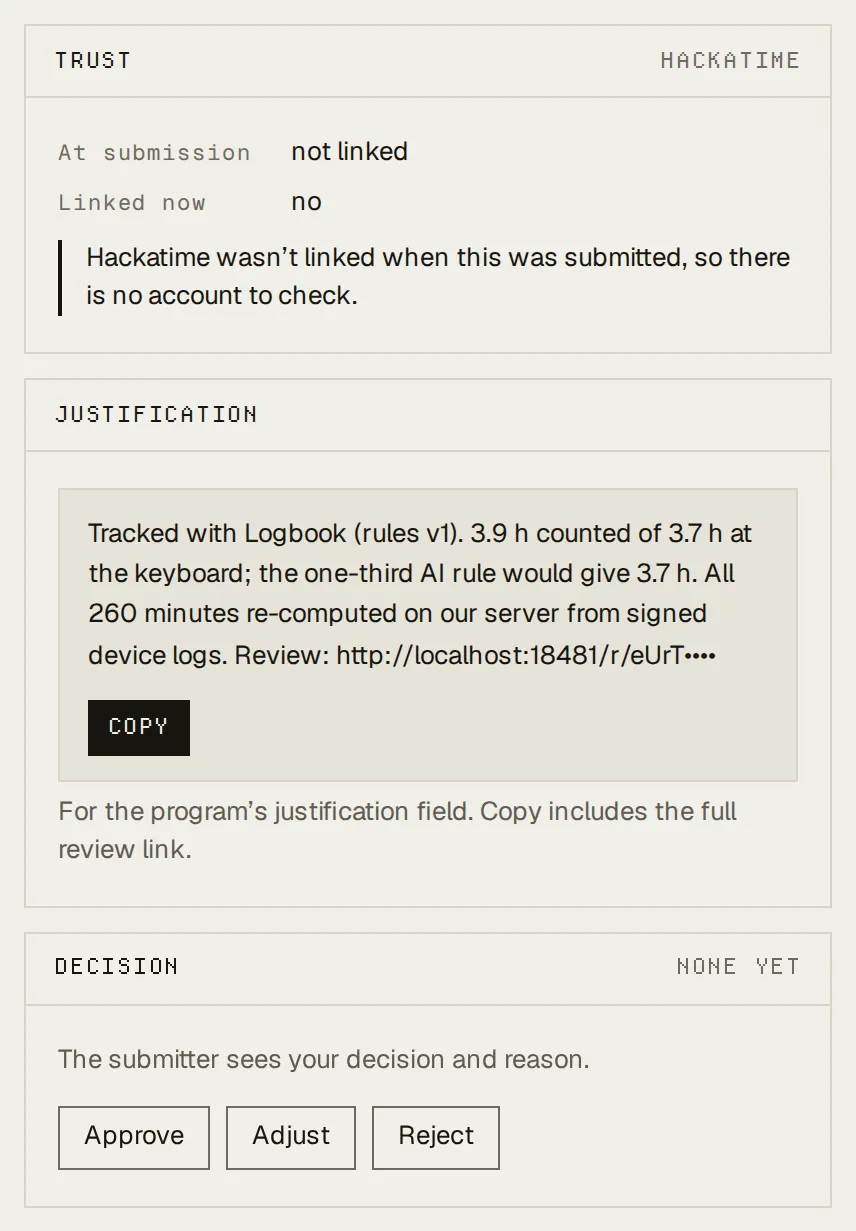
| Row | What it shows |
|---|---|
| At submission | The level when they submitted, or “not linked”. |
| Now | The level today, when Hackatime is still linked. |
| Checked | When Logbook last read the level from Hackatime (UTC). |
| Linked now | Whether their Hackatime account is still linked. |
The levels are Hackatime’s own, as Hackatime shows them in public:
- green: Hackatime trusts the account.
- blue: Hackatime hasn’t scored the account. Blue isn’t a warning, and it isn’t a sign of trust either.
- red · banned: Hackatime has banned the account.
Warnings that change what you can do
Section titled “Warnings that change what you can do”Some sentences may appear under the levels. Read them before you decide:
- “Hackatime marks this account as banned now, so the hours can only be rejected.”
- “The submitter has unlinked Hackatime since submitting. The hours can only be rejected until they link it again.”
- “The submitter has linked a different Hackatime account since submitting…” Again, the hours can only be rejected until they link the original account.
- “Hackatime wasn’t linked when this was submitted, so there is no account to check.” Logbook allows this. Your program’s own rules decide what to do about it.
When you record a decision, Logbook re-reads the trust level first if it’s more than a day old. If the account is banned by then, Logbook refuses an approval or adjustment and shows why. You can still reject.