Decide
You decide in the DECISION panel. On a computer it’s in the right-hand column and stays in view as you scroll. On a phone it sits right under the hours.
You need to be signed in as the program’s owner or one of its reviewers. If you don’t see the buttons, see Open a review link.
The submitter sees your decision and your reason, so write reasons for them.
Approve
Section titled “Approve”Use this when the counted hours are right.
- Press Approve.
- The panel asks “Approve all 12.4 h?” with the submission’s counted hours. Press Approve again to confirm.
Approving takes no reason.
Adjust
Section titled “Adjust”Use this to approve fewer hours than were counted.
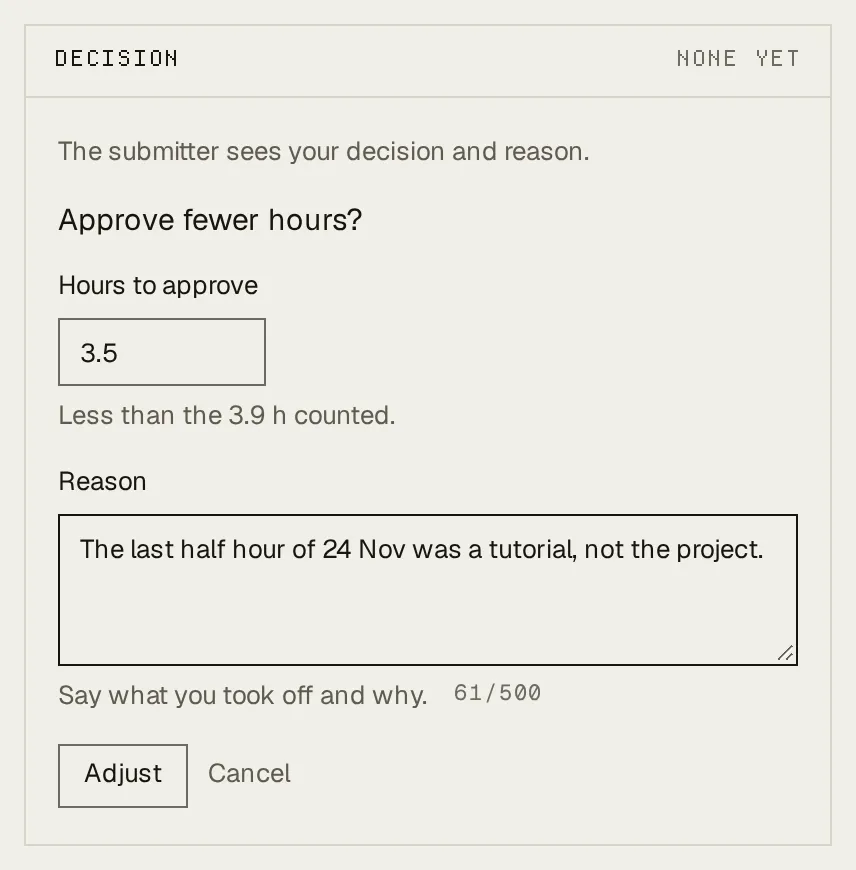
- Press Adjust. A short form opens in the panel.
- In Hours to approve, type the hours, such as
11.5. It must be less than the counted hours. To accept all of them, approve instead. - In Reason, say what you took off and why. For example: “Took off the 2 days with unbacked minutes.”
- Press Adjust to confirm, or Cancel to back out.
Reject
Section titled “Reject”Use this when the hours shouldn’t be approved at all.
- Press Reject.
- In Reason, say why, so the submitter can fix it.
- Press Reject to confirm, or Cancel to back out.
Reasons can be up to 500 characters. The counter under the box shows how many you’ve used.
How to tell it worked
Section titled “How to tell it worked”The buttons are replaced by a stamp: APPROVED, ADJUSTED with the approved hours (for example ADJUSTED 11.5 h), or REJECTED. Under it are your username, the date and time in UTC, and the reason.
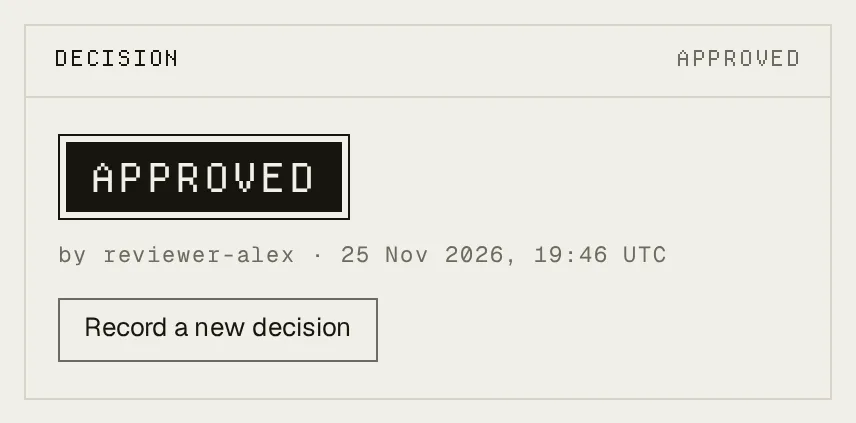
The submitter sees the same stamp on their review page and in their list of submissions. Your program’s inbox moves it out of To review.
Change a decision
Section titled “Change a decision”Under the stamp, press Record a new decision and decide again. The newest decision is the one that counts. Earlier ones are kept in Logbook’s audit log. Press Keep the current decision to back out.
When Logbook refuses a decision
Section titled “When Logbook refuses a decision”The message appears by the button you pressed. What you typed stays.
| Message | What to do |
|---|---|
| This submission was checked again since you read it | Another of the submitter’s computers sent its logs, and the numbers changed. Press Reload, read the new numbers, then decide. |
| Your sign-in ended | Press Sign in again, then decide. You come back to the same page. |
| A sentence about a banned or changed Hackatime account | You can’t approve or adjust right now. You can still reject. See Evidence and trust. |
| The submitter withdrew this submission | There’s nothing left to decide. |